
Cos de cumparaturi: 0 produs(e) - 0,00lei
KIT DE MAINTENANCE ORIGINAL HP LJ 4250 Q5422A
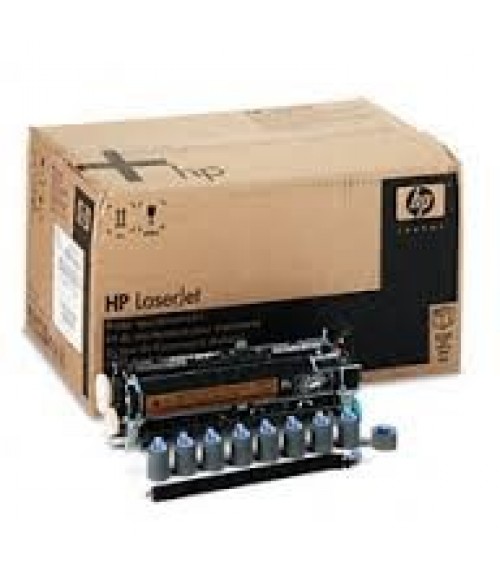
If the display panel on your HP LaserJet reads "perform printer maintenance", "perform user maintenance", or anything along those lines it means your printer needs a preventive maintenance kit. Once you have installed the maintenance kit the message will only go away if you reset the maintenance count. (Even if the message is not being displayed, the maintenance count needs to be reset.)
Reset the maintenance count on an HP LaserJet 4200, 4300, 4250, 4350
Once the maintenance count has been reset the "Perform Printer Maintenance" message won't appear again until the maintenance interval has been reached (200,000 pages on a LaserJet 4200, 4250, 4300, and 4350 series printers).
Opinia ta: Nota: Codul HTML este citit ca si text!
Nota: Rau Bun
Introduceti codul din imagine:

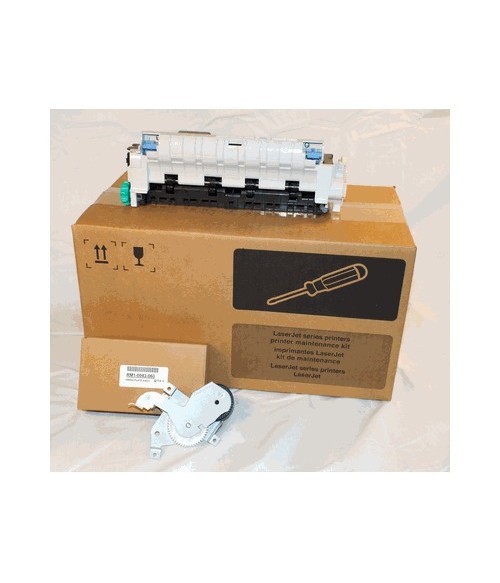
KIT DE MAINTENANCE ORIGINAL HP LJ 4250 Q5422A
Compatibilitate cu HP HP LJ 4250
Q5422-67903 HP LaserJet 4250/4350 maintenance kit - 220 VAC |
||||||||||||||||||||
| RM1-1083 | Fuserunit (New) | 1 |
| RM1-1110 | Transfer Roller | 1 |
| RL1-0019 | Pickup Roller MP Tray (Tray 1) | 1 |
| RM1-0036 | Pickup Roller Tray 2 + 1500 Sheetfeeder | 3 |
| RM1-0037 | Paper Feed Roller Tray 2 + 1500 Sheetfeeder | 6 |
| RL1-0007 | Separation Pad MP Tray (Tray 1) | 1 |
Reset the maintenance count on an HP LaserJet 4200, 4300, 4250, 4350
- Turn the printer off.
- Turn the printer back on and, as the memory begins counting, press & hold down the checkmark button while the memory is counting. The memory starts counting at 000MB immediately after you turn the power on. If you press the checkmark button too soon - before the memory starts counting - this procedure won't work.
- Continue to hold down the checkmark button until all three LEDs are illuminated.
- Release the checkmark button.
- Press the up arrow (Navigation) button until the message "New Maintenance Kit" appears on the control panel display.
- Press the checkmark button once.
Once the maintenance count has been reset the "Perform Printer Maintenance" message won't appear again until the maintenance interval has been reached (200,000 pages on a LaserJet 4200, 4250, 4300, and 4350 series printers).
Spune-ti opinia
Numele tau:Opinia ta: Nota: Codul HTML este citit ca si text!
Nota: Rau Bun
Introduceti codul din imagine:


© PrintersParts.ro 2026